The following blog will make you understand about the usage of render method in LWC like when to use render in your Component and it will also let you know some key points related to render.
Generally, many of us has the perception that if we have to apply some logic after rendering of component then use the render method, but the render method behaves totally different from our perception. Let us see how it behaves with the help of an example.
Things to Remember:–
The render method is not considered the lifecycle method of LWC.
It’s a protected method that is present inside LightningElement class.
If you have the requirement to change the look and feel of your component based upon some conditional logic then go for render.
render always returns the reference of HTML Template.
You can have multiple Templates inside your one component then to switch between those templates based upon the some business logic, render is used.
Things in action !!
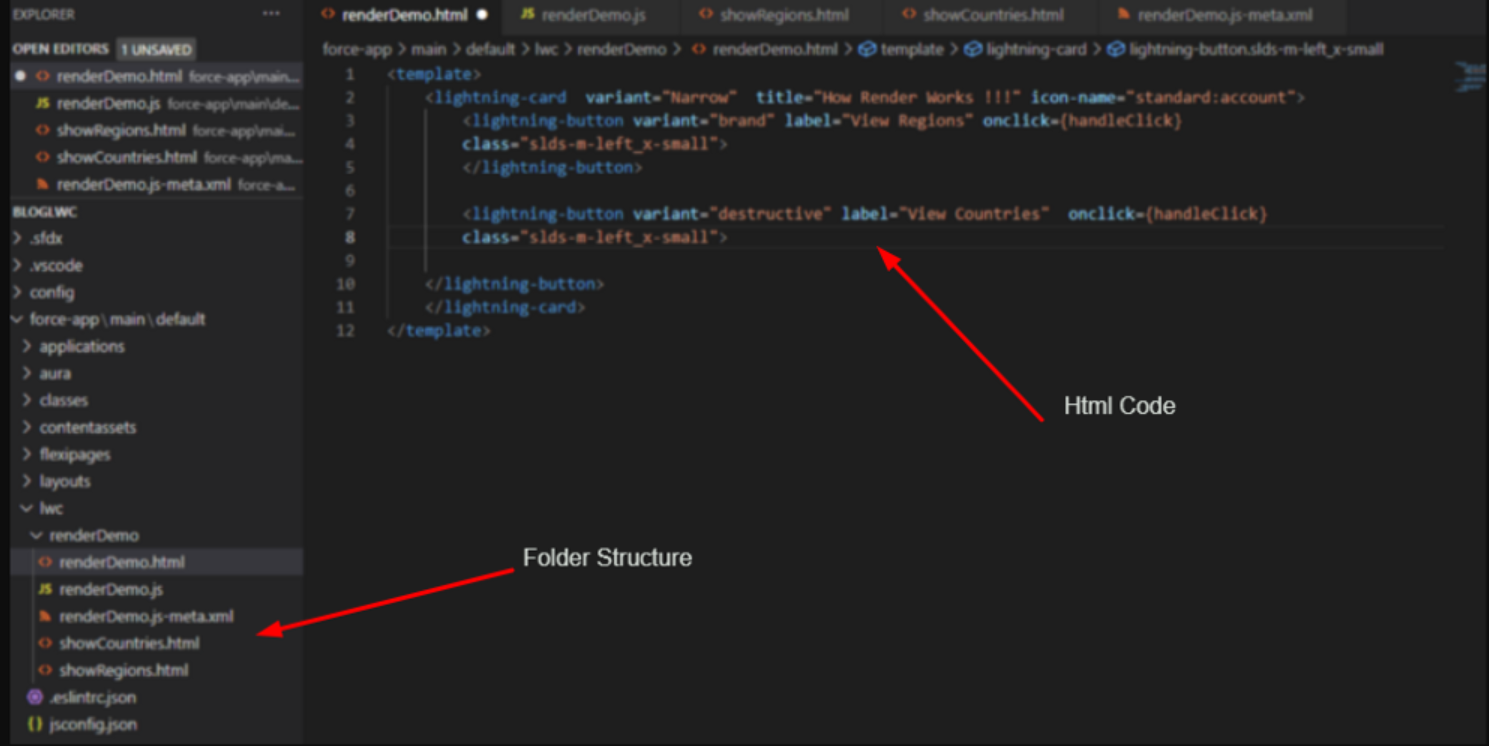
Let say we have a requirement to display the regions and countries of users on button click. To achieve this in LWC, we have created a component named as renderDemo which will contain the necessary .html, .js and meta-xml file. Apart from that we have two separate .html files representing counties and regions as shown below in the image.
VS Representation: renderDemo.html
This file contains hidden or bidirectional Unicode text that may be interpreted or compiled differently than what appears below. To review, open the file in an editor that reveals hidden Unicode characters.
Learn more about bidirectional Unicode characters
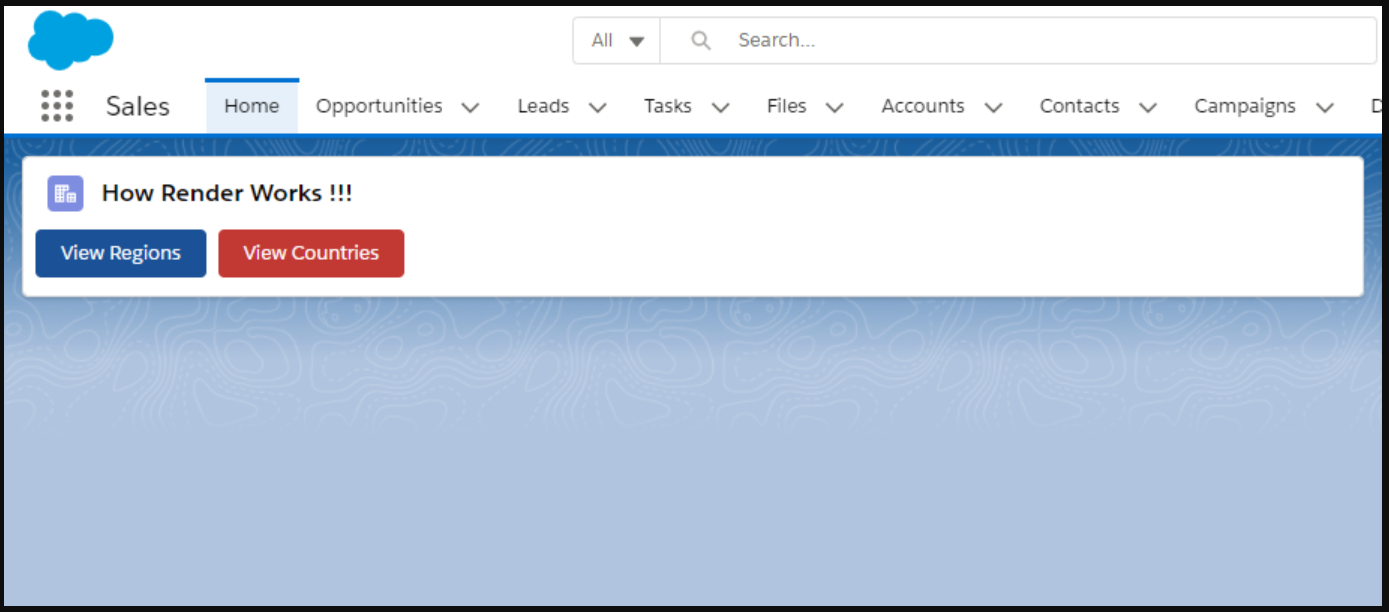
Image present below shows the visual presentation of the main component i.e. renderDemo.
Main View
As soon as the user clicks on regions or country button the template corresponding to user input will get loaded and the output will be displayed to user. The dynamic change of template on button click is done with the help of render method.
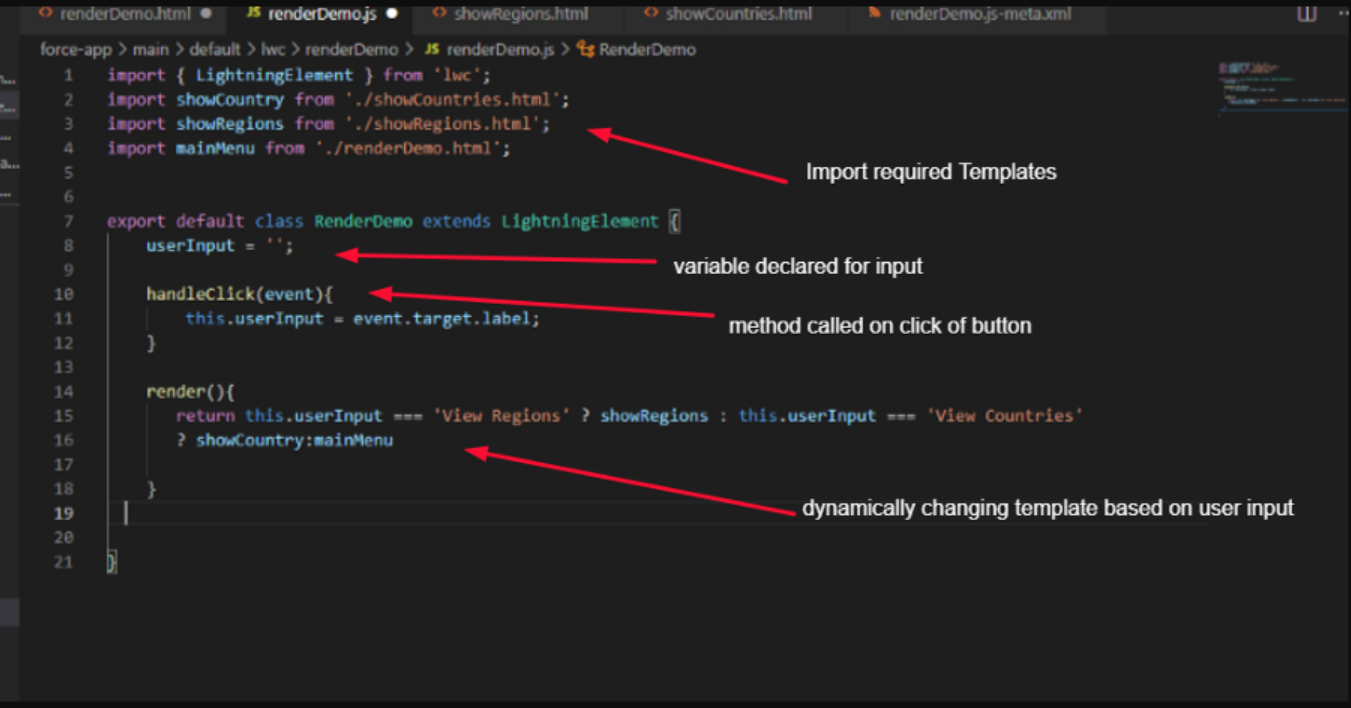
Below image shows the .js controller of your component with some useful code explanatory messages.
VS Representation: renderDemo.js
Make sure all your html templates are imported in the .js File of your component as shown above.
userInput variable is declared which is used to store the input given by user.
handleClick is used to capture the click event and it will fetch the label of button clicked by user and put that value inside userInput.
the render method will check the value present inside userInput variable and will return the reference of respective template.
This file contains hidden or bidirectional Unicode text that may be interpreted or compiled differently than what appears below. To review, open the file in an editor that reveals hidden Unicode characters.
Learn more about bidirectional Unicode characters
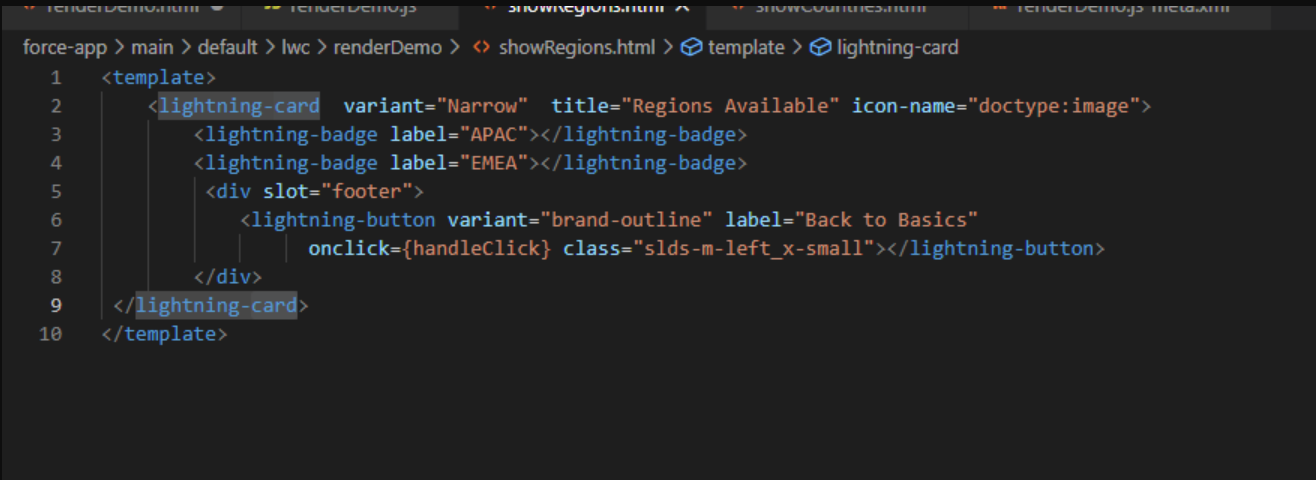
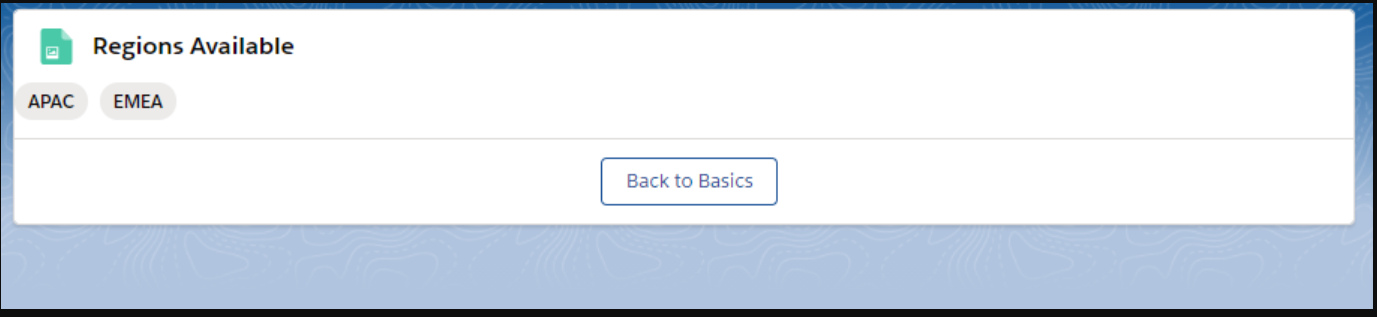
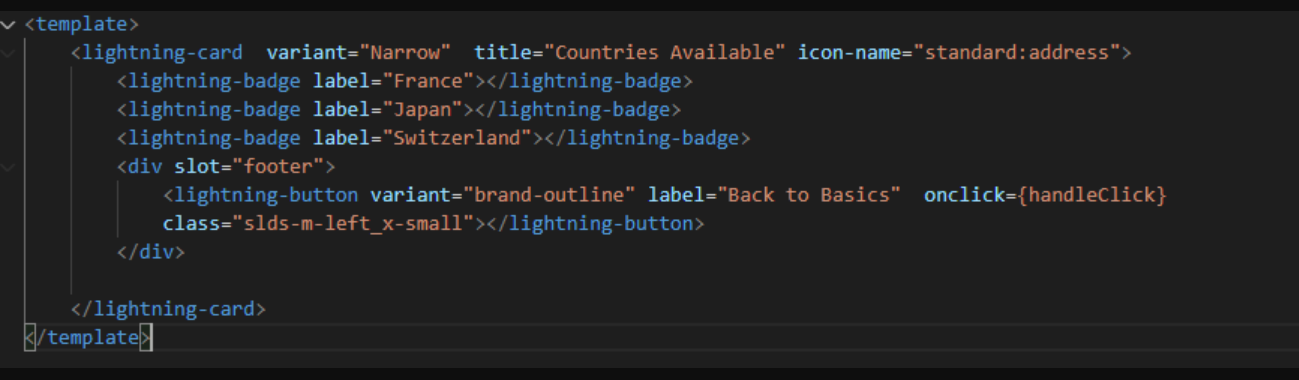
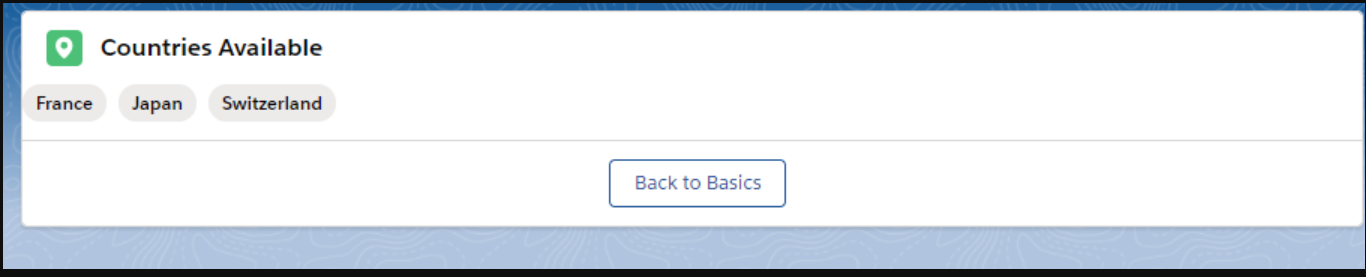
The source code and output of showRegions.html and showCountries.html is shown below.
VS Representation: showRegions.html
This file contains hidden or bidirectional Unicode text that may be interpreted or compiled differently than what appears below. To review, open the file in an editor that reveals hidden Unicode characters.
Learn more about bidirectional Unicode characters
This file contains hidden or bidirectional Unicode text that may be interpreted or compiled differently than what appears below. To review, open the file in an editor that reveals hidden Unicode characters.
Learn more about bidirectional Unicode characters
Note:Back to Basics button is used to move back to main Component i.e renderDemo. Simply called handleClick method on click of this button and the render method will take care of rest.
Hope, now you get an idea how and when to use render method in LWC. Stay tuned with the blog series #Explore_Salesforce and keep Learning !!

 Kam's Tech Talk - Learn. Connect. Thrive.